To forward a dental office's missed calls, don't forward every call. Turn on two conditional forwards: "when busy" and "when not answered" after a set number of rings, pointed at whoever should pick up. Add an after-hours schedule if your phone system has one. Traditional and cable lines often use star codes; hosted (VoIP) systems use portal rules. Codes differ by provider, so check your provider's own page and test from a mobile.
Call forwarding for a dental office is one setting with three choices, and the wrong one sends calls away from a front desk that could have answered them. Here are the right choice, each provider's own codes and menus, a 10-minute test, and how to undo it.
Call forwarding for a dental office: the three kinds
- Forward always. Every call goes straight to the other number, and your phones don't ring. Useful when you're closed. During the day it takes calls away from your own team.
- Forward when busy. The call moves on only when your line, or every line, is in use.
- Forward when not answered. Your phones ring first. If nobody picks up after a set number of rings, the call moves on.
Hosted phone systems add a schedule, which changes what happens at lunch, after closing and on holidays.
What a dental office usually wants: busy and no answer during opening hours, so the front desk still answers first. When you're closed, forward always, or use a closed schedule.
Forward calls when busy or not answered: codes by provider
On many traditional and cable business lines you dial the "on" code, then the number to forward to (some lines want # after it), then wait for a confirmation tone. The table shows only what each provider's own page said on 14 November 2026. If yours isn't listed, ask your provider.
| Provider and service | When busy (on / off) | When not answered (on / off) | Always (on / off) | Good to know |
|---|---|---|---|---|
| Spectrum Business Voice | *90 / *91 | *92 / *93 | *72 / *73 | Also in the online account: Services, Business Phone, Manage Settings, then Busy Line or Missed Calls. |
| Comcast Business VoiceEdge (2018 code sheet) | *90 / *91 | *92 / *93 | *72 / *73 | For VoiceEdge only. The same sheet lists *610 to change how many rings come before the forward. |
| Verizon Business Digital Voice | *90 / *91 | *92 / *93 | *72 / *73 | Dial the code, the number, then #. |
| Verizon One Talk | **90 / **900 | **92 / **920 | **72 / **73 | Two stars, not one. |
| Lumen Voice Complete | *90 / *91 | *92 / *93 | *72 / *73 | Part of an optional add-on, the Mobility Feature Pack, and entered through Lumen's Voice Portal. |
| AT&T and others | We couldn't open AT&T's help page when we checked, so we don't print its codes. | Ask for "call forwarding busy" and "call forwarding no answer" on your exact line. | ||
Most rows agree, but not all: Verizon One Talk uses **90 where the others use *90. Copy codes only from your own provider's page.
Forwarding rules on hosted (VoIP) phone systems
In most cloud phone systems, the settings are in an admin portal or app rather than star codes. Look for three things: how long phones ring, where unanswered calls go (often called overflow or missed calls), and an after-hours schedule with holidays.
| What to look for | What it is often called | What to set for a dental office |
|---|---|---|
| How long your phones ring | Ring time, ring duration or timeout, set in seconds or in rings | Long enough for your team to pick up, and shorter than the time before voicemail answers |
| Where unanswered calls go | "If no one answers", overflow, missed calls, or a forwarding step in a call route | Forward to an outside number, such as a mobile, an answering service or an AI receptionist |
| Where calls go when every line is busy | Busy forwarding or overflow | The same outside number as unanswered calls |
| Opening hours | A schedule, business hours, or open, closed and break hours | Your real hours, lunch included, with a separate rule for when you're closed |
| Holidays | A holiday schedule or exceptions | Each closed day, set before it comes |
| Which number the other end sees | Caller ID on forwarded calls | The patient's number if possible, so whoever answers can call back |
On some systems a rule set on one person's extension only covers calls made straight to that extension, not calls that ring a group of phones. If your phones ring as a group, set the rule on the group or the main number. If you can't find a setting, ask your phone system's support team for "forwarding when busy or not answered" and "an after-hours schedule".
What to check with your phone company first
- Is it on your line? Lumen's codes come with an add-on, and Comcast's sheet covers VoiceEdge only. Ask whether busy and no-answer forwarding are active on your plan.
- Extra charges. Ask whether forwarded minutes cost more. Verizon, for one, says in its mobile call forwarding guide that per-minute charges may apply to forwarded calls.
- How many rings. Ask how many rings come before the forward, and whether you can change it. Give your team time to pick up.
- Voicemail. If voicemail answers before the forward kicks in, the forward never happens. Set voicemail later or switch it off on that line.
- Several lines. If your phones ring as a group, ask where the forward must be set. On some systems, forwarding set on one extension is ignored when that extension rings as part of a group.
- Caller ID. Ask which number shows at the other end: the patient's or your office's. Some systems let you pick an office number to show. Whoever answers needs the patient's number to call back.
- No loops. Make sure the number you forward to doesn't send its own missed calls back to you.
A 10-minute test plan
Call from a mobile phone, not an office line, and write down what you hear.
| Test | How to run it | What you should hear |
|---|---|---|
| 1. Not answered | During opening hours, call the main number and let nobody pick up. Count the rings. | Your phones ring for the rings you set, then the other number answers. If your voicemail plays, it is set to answer first. |
| 2. Busy | Put every line in use, then call. | The call moves on without a long wait. A busy signal means busy forwarding is off. |
| 3. Lunch | Call during lunch, or switch to your lunch or closed schedule for a minute. | Whatever you chose for lunch: the forward, or your lunch greeting. |
| 4. After hours | Call after closing. | The other number answers, ideally with your practice's name. |
| 5. The other end | Ask whoever took the test calls what they received. | A number they can call you back on (your mobile's, unless your system shows an office number), and a message or record of each call. |
| 6. Switched off | Turn forwarding off, then call again. | Your office phones ring as normal. |
How to switch call forwarding off
With star codes, dial the "off" code from the same line: *91 (busy), *93 (no answer) and *73 (always) on most of the lines in the table, or **900, **920 and **73 on Verizon One Talk. On a hosted system, set the missed-calls or after-hours rule back to voicemail or your own phones, then repeat test 6. Keep the off codes on a card by the main phone.
Where the forwarded calls can go
A mobile phone
No new service, but one person carries the phone every evening and weekend, takes one call at a time, and may pay for forwarded minutes.
An answering service
A person answers in your practice's name, usually from a script you provide. Our dental answering service vs AI receptionist comparison sets out the trade-offs, and after-hours answering for a dental office covers evenings and weekends.
An AI receptionist
Software that answers in a natural voice from your practice's own facts, takes a message and alerts your team.
Any of the three beats plain voicemail, because many callers don't leave a voicemail. An outside company that answers your patients' calls will hear patient information. HHS explains that HIPAA lets a covered practice share it with such a company when the practice gets written assurances, called a business associate agreement (BAA), that the company will protect it. Ask for one before the first call is forwarded. This is general information, not legal advice; ask your own adviser what your practice needs, and see our privacy questions.
Where Pure Reception fits
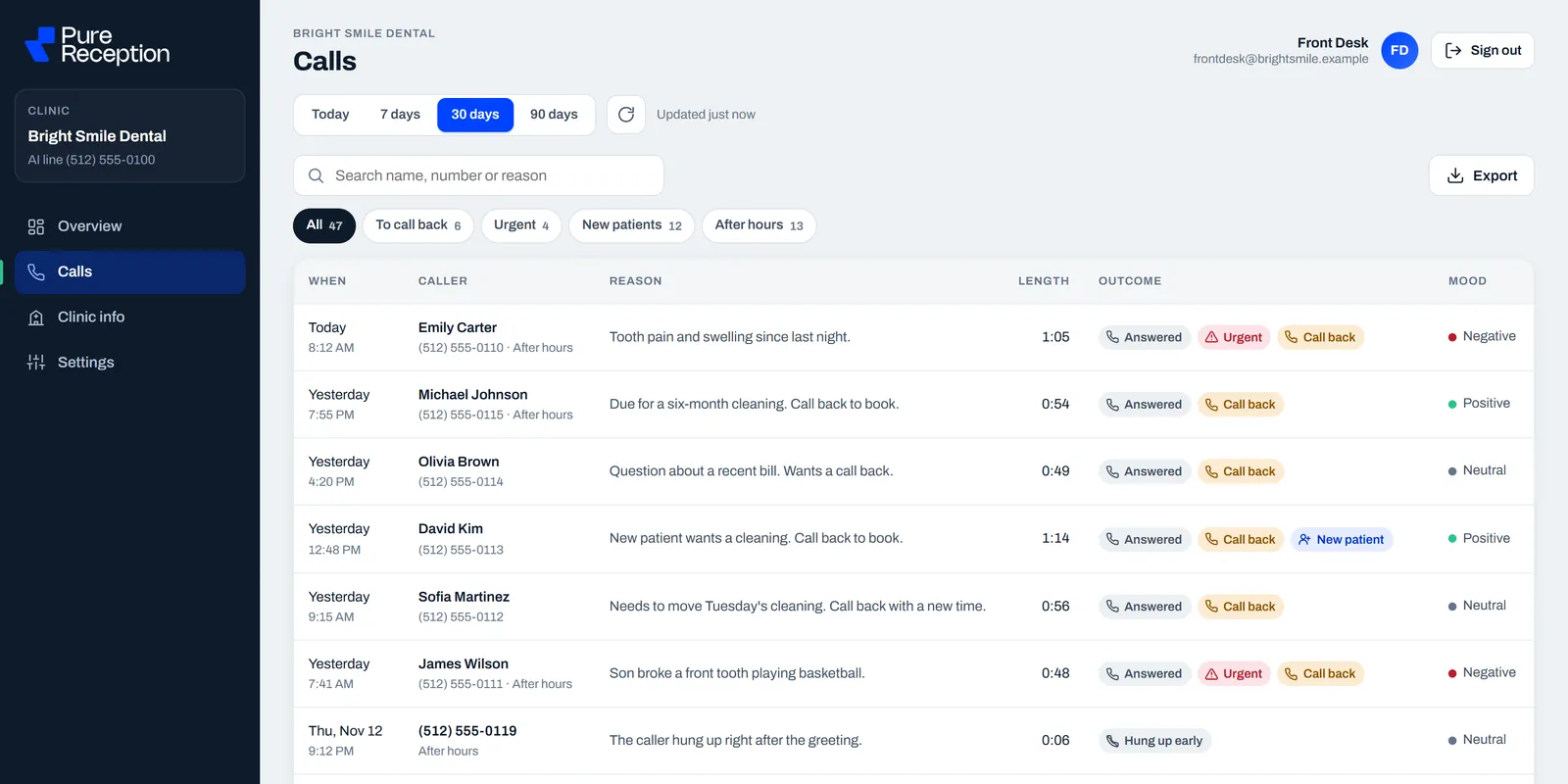
We build an AI receptionist for dental practices. It answers only the calls your front desk can't get to. It answers with your office name, takes a message, and alerts your front desk right away.
You keep your number and your phones, and you forward only the calls you can't answer, using the busy and no-answer settings above. You can turn that off anytime. You switch it on with your own phone company, and we help with the steps. The phone company's part can take 1 to 5 days. Before the receptionist answers any patient call, we sign a business associate agreement (a BAA) with your practice. See how it works.
A practice can try its own receptionist on its real calls, free for one week. If you don't want to keep it, tell us before the week ends and you pay nothing. To hear it first, call Sophie, our demo receptionist for Luxe Dental (a demo practice), at (631) 502-5443. On the demo line she books into a sample calendar. Nothing booked there is real, and a new practice starts with messages. Or book 15 minutes with Sam (short for Ibtisam), the owner.
Common questions
What is conditional call forwarding?
It forwards a call only when a condition is met: your line is busy, nobody answers after a set number of rings, or the phone can't be reached. "Forward always" sends every call away and your phones don't ring. A dental office usually wants the conditional kind during opening hours.
Will patients still call our normal number?
Yes. Forwarding is set on your own line or phone system, so patients dial the same number as always. Only calls that meet your rule, such as busy or not answered, go on to the other number.
What do *72 and *73 do?
On Spectrum Business Voice, Comcast Business VoiceEdge, Verizon Business Digital Voice and Lumen Voice Complete, *72 forwards all calls and *73 turns that off. Verizon One Talk uses **72 and **73 instead. On a Verizon mobile, Verizon's guide says *71 forwards only when you're busy or don't answer, and *73 turns forwarding off. Check your provider's own page.
How many rings before a call forwards?
It depends on the provider and your settings. Cloud phone systems usually let you set the ring time in seconds or in rings, and Comcast's VoiceEdge sheet lists *610 to change the rings. Give your team time to pick up, and make sure voicemail doesn't answer first.
Does call forwarding cost extra?
Sometimes. Verizon's mobile guide says there is no monthly fee for call forwarding on a current plan (some retired plans may have one), but per-minute charges may apply to forwarded calls. Ask your provider about your own plan.
How do we forward calls only after hours?
On a hosted system, use its schedule: most cloud phone systems let you set opening hours, then a separate rule for after hours and holidays. None of the star-code lists above has a clock, so someone turns "forward always" on at closing and off in the morning, unless your provider offers a schedule feature.
Last checked: 14 November 2026. Every phone company page and the HHS page linked above were opened and read that day. AT&T's help page could not be opened, so no AT&T codes are given.