An AI dental receptionist is a voice assistant that answers a dental office's phone in a natural voice. It takes messages, answers patient questions from your practice's own facts and flags urgent calls, 24 hours a day. Some can also book, move and cancel appointments when they are connected to a calendar. The usual place to start is the calls the front desk can't get to: busy lines, lunch and after hours.
We build one: our AI receptionist for dental practices. So this guide covers the whole category, and says plainly where ours is different.
If you run a dental practice, you already know the problem it solves. The phone rings while two patients are at the counter, the second line lights up, and someone ends up in voicemail, where many callers won't leave a message. This guide explains what an AI receptionist actually does on those calls, what it shouldn't do, how it fits around your team, and how to choose one without regrets.
What an AI receptionist does on a dental call
A good one handles the same everyday calls your front desk does, in the same order a trained person would:
- Takes appointment requests. Some AI receptionists also book, move and cancel on the call when they are connected to a calendar, so ask which you are getting. Ours starts with a message for your front desk, and booking can be added later if your scheduling system allows it.
- Answers common questions from your practice's own facts: hours, location, parking, services, prices, insurance and policies.
- Handles emergency calls like toothache, swelling, a broken or knocked-out tooth or bleeding. It never gives medical advice. For a life-threatening emergency, it tells the caller to call 911. For a dental emergency, it says what you want it to say, for example your on-call number. It marks the call urgent, so your team sees it first.
- Takes messages with the caller's name, number and what they need, and marks the urgent ones.
- Takes many calls at the same time, so nobody waits on hold during the morning rush.
- Can be set up for another language, such as Spanish. Ask whether it has been tested with real callers. Ours answers in English, and Spanish is added on request.
An example call, made up for a demo practice:
- Patient:Do you take Delta Dental? And can I bring my son in too?
- Receptionist:Yes, we're in network with Delta Dental PPO, and we see children from age three. Would you like the front desk to call you to book you both in?
For the full list of what ours does, see what our AI dental receptionist handles on the phone.
How it works, step by step
Under the voice, a call goes through five steps. This is how ours works, so ask any other provider to walk you through theirs.
- 1. The call is forwarded. Your phone company sends the calls you choose (a busy line, no answer, after closing) to the receptionist. Patients dial the number they always have.
- 2. Speech becomes text. The caller's words are turned into text as they speak, so the software can work with them.
- 3. The answer comes from your facts. It replies, in a natural voice, from what your practice told it: hours, address, insurance plans, your emergency instructions. If the answer isn't there, it takes a message instead of guessing.
- 4. A message is written. The caller's name, the best call-back number, the reason for the call and how urgent it is, kept with the recording and a written transcript.
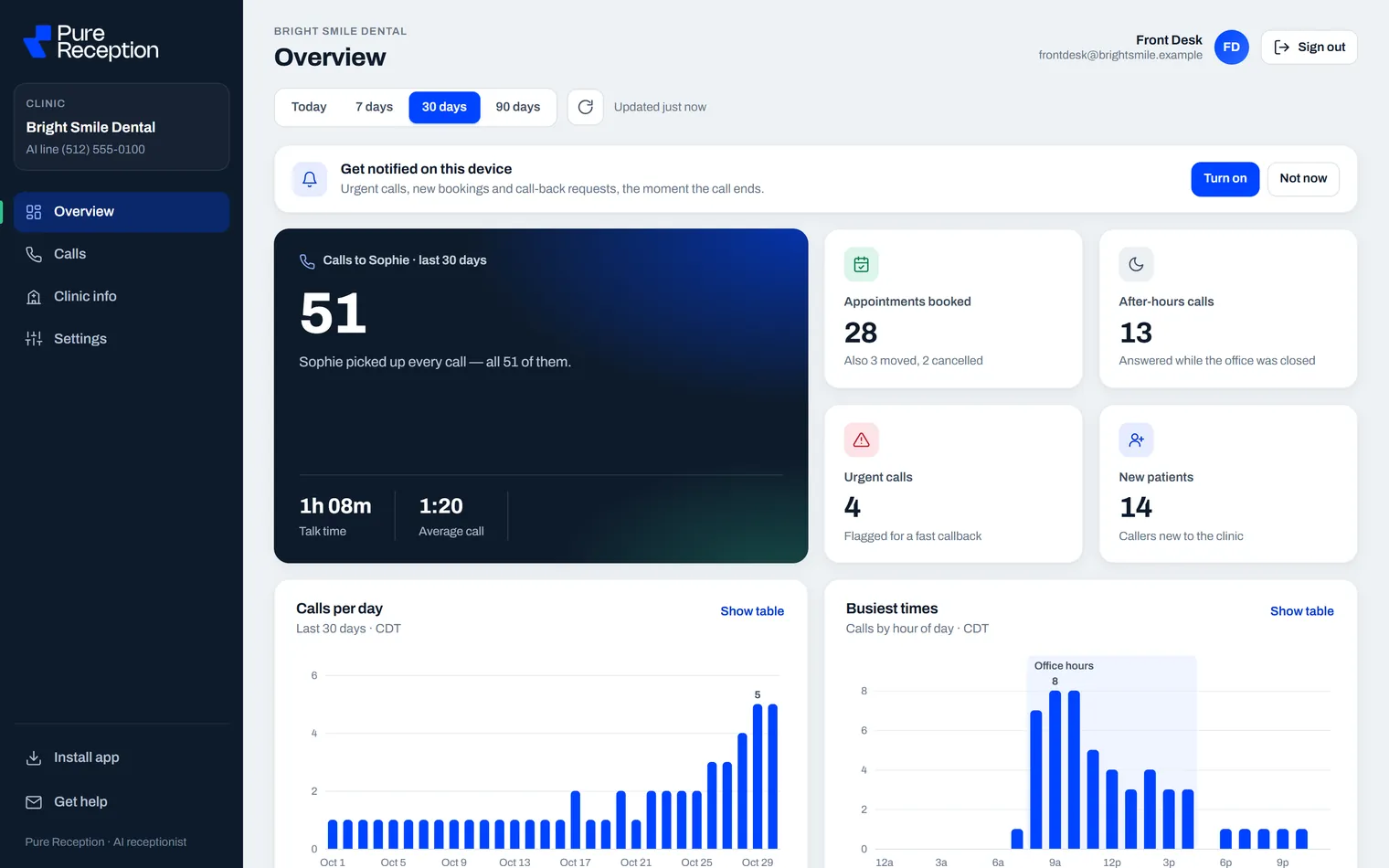
- 5. Your team is alerted. Right after a call that needs them, your team gets an alert on their phone or computer. The alert shows no patient details. They read the full message in a private portal.
AI receptionist, phone menu or chatbot: the difference
The three get mixed up, so here they are in plain words. These are our own short definitions, and products overlap, so ask what you are getting.
| How a patient uses it | What it can do | |
|---|---|---|
| Phone menu ("press 1 for appointments") | Presses a key, or says one of a few set words | Sends the call somewhere or plays a recording. It can't answer a question it has no option for. |
| Website chatbot | Types into a chat box on your website | Answers typed questions. It doesn't pick up the phone. |
| AI receptionist | Talks in normal sentences, on a normal phone call | Answers from your practice's own facts, takes a message and flags urgent calls. Some also book. |
What it shouldn't do
Knowing the limits matters as much as the features. A well set-up AI receptionist:
- Doesn't diagnose or give treatment advice. It takes the message, marks it urgent when it is, and tells your team.
- Doesn't guess. When a caller asks something it wasn't given, it takes a message instead of making up an answer.
- Doesn't pretend to be a person. If a caller asks, it should say it is an AI. The rules are in does an AI receptionist have to say it's AI?
- Doesn't replace your front desk. Treatment plans, billing disputes and anxious patients who want a familiar voice still belong with your team. We wrote more about this in Will AI replace your front desk?
How it fits around your phones and your team
There are two common ways to set it up:
- Overflow: your team answers first, as they do today. Calls they can't pick up (a busy line, lunch, after closing) forward to the AI receptionist instead of going to voicemail.
- Every call: it answers all calls and takes a message for anything that needs a person.
Either way you keep your phone number, because the forwarding happens behind the scenes (see how to forward a dental office's calls). After every call your team should be able to see the recording, a written transcript and a short summary, with an alert for urgent calls and call-backs. If a provider can't show you that, your team will spend their time guessing what happened.
How bookings reach your schedule
It's a fair first question, and there are three levels:
- Messages. The simplest start: each request reaches your front desk as a message, and they call the patient back to book. Nothing touches your software. This is how ours starts.
- Online calendars. If you have your own online calendar, like Cal.com, Calendly or GoHighLevel, booking on the call can be added, so patients only hear times that are really free.
- Practice software. For Dentrix, Open Dental, Eaglesoft or Curve, ask exactly how bookings would get into your system and what your team has to do. Ours does not write into these systems today. Our post on practice software and calendars goes through it.
Emergencies and after-hours calls
These are the calls that matter most and are hardest to staff. A patient with a cracked tooth at 7:40 pm wants to know someone has heard them, not hear a recording. A good AI receptionist knows your hours and does what you choose after closing: takes an urgent message, gives your on-call number, and tells callers with a life-threatening emergency to call 911. See when a patient calls in pain and what happens to your after-hours calls for the details.
Patient privacy and HIPAA
Patients share names, dates of birth and symptoms on the phone, which is protected health information. Under HIPAA, a company that handles that information on your behalf is generally a business associate and needs a written business associate agreement with you (HHS explains this on its business associates page). So ask any provider where recordings are kept, who can listen to them and for how long, and whether they'll sign that agreement. Our post is an AI receptionist HIPAA compliant? has five questions that make a good checklist. Recording a call and saying that it's an AI have their own rules, which we cover in disclosure and call-recording rules.
What it costs
Many AI receptionists charge a monthly fee. Some add per-minute or per-call charges, a setup fee or a fee per location. The fair comparison is with what your missed calls really cost, and with a front-desk hour: the US median pay for a receptionist was $18.27 an hour in May 2025, before taxes and benefits, according to the Bureau of Labor Statistics. We break the numbers down in what an AI dental receptionist costs.
Seven questions to ask before you choose one
- Can I call a live demo right now?
- Does it book into my calendar, or only take messages?
- What exactly happens on an emergency call?
- What will my team see after each call, and how quickly?
- Will you sign a business associate agreement, and where are recordings kept?
- Who sets it up and tests it, and who updates it when our hours, fees or providers change?
- What's the contract, and can we try it on real calls first?
To turn the list into a real test, use our 12 test calls and a scorecard. For the features to compare, pricing models and red flags, see how to pick the best AI receptionist for a dental office.
Is it a good fit for your practice?
It tends to help most when:
- the phone rings during check-ins and nobody can get to it;
- one person covers the desk at lunch, or nobody does;
- voicemails from evenings and weekends pile up for Monday morning;
- patients tell you they "couldn't get through";
- you've opened a second location and the phones haven't caught up.
If your team already answers almost every call within a few rings, an answering setup may matter less to you than other things. That's worth knowing before you buy anything. If you're weighing a person-staffed service instead, read dental answering service vs AI receptionist.
Hear one answer
The quickest way to judge is to call one. Sophie, our demo receptionist, answers for Luxe Dental, a demo practice, at (631) 502-5443. Ask about insurance, try to book a cleaning or say you have a toothache. On the demo line she books into a sample calendar, so nothing is real. A new practice starts with messages. If you like what you hear, a practice can try its own receptionist on its real calls, free for one week. Book 15 minutes with Sam (short for Ibtisam), the owner, to set it up.
Common questions
What is an AI dental receptionist?
A voice assistant that answers a dental office's phone in a natural voice. It takes messages, answers common questions from the practice's own facts and flags urgent calls. Some also book appointments when they are connected to a calendar.
How does an AI dental receptionist work?
The calls you choose are forwarded to it. It turns the caller's speech into text, answers from the facts your practice gave it, writes a message with the caller's name, number and reason, and alerts your team right after the call.
Will patients know they're talking to an AI?
Ours says it is an AI if a patient asks, and that is worth checking with any provider. Call our demo line and judge the voice for yourself.
Can an AI receptionist take more than one call at a time?
Yes. It can take many calls at the same time, so patients don't wait on hold or go to voicemail when both lines are busy.
Do we keep our phone number?
Yes. Calls are forwarded to the AI receptionist behind the scenes, so patients call the same number they always have.
Does it work after hours and on weekends?
Yes. It answers 24 hours a day, 7 days a week, holidays included, and follows your after-hours rules: take a message and give your emergency instructions.
Can it put a call through to a person?
It can, if you ask for that and give us the number to ring. By default it takes a message and marks urgent ones, so your team calls those back first.
Last checked: 14 November 2026. The HHS and Bureau of Labor Statistics pages linked above were opened and read that day.